A heater boils ink into a bubble in three millionths of a second. A laser draws your page in static electricity. Every printer turns a page into millions of tiny dots. An inkjet pulls paper past a carriage that sweeps a printhead full of nozzles across it.
A heater boils ink into a bubble in three millionths of a second. A laser draws your page in static electricity. Open up an inkjet and a laser printer in 3D and watch every dot land.
PrinterClearOpened 11 Sept 202612 min to playFree · no sign-up
In 60 seconds
Two machines, one job: dots
Every printer turns a page into millions of tiny dots. An inkjet pulls paper past a carriage that sweeps a printhead full of nozzles across it. A laser printer draws the page as static charge on a drum, sticks powdered toner to it and melts the toner onto the paper.
A bubble throws each drop
In a thermal inkjet, a 3 µs pulse heats a skin of ink to about 300 °C. The vapour bubble throws out a drop of a few picolitres at about 10 m/s, then collapses and the chamber refills. A 5 pL drop is about 21 µm across. Piezo heads squeeze the chamber with a bending crystal instead.
Shades from yes-or-no dots
A printer can only print a dot or leave the paper white, so it makes shades by changing how many dots it prints, in neat rows (halftone) or scattered (dither). Cyan, magenta and yellow inks take light away from white paper, and black ink is added because real C + M + Y makes a muddy brown.
Charge, light, powder, heat
The laser printer's drum is charged to about −700 V. Where the laser, swept by a spinning mirror, hits it, the charge leaks away. Negatively charged toner lands only on those spots, is pulled onto the paper, and is melted in by a fuser at about 150 to 200 °C.
Pins, heat and plastic
Dot-matrix printers fire steel pins through an inked ribbon, which is why banks still use them for passbooks and carbon copies. Receipt printers heat a special coating that turns black, with no ink at all. A 3D printer lays melted plastic in layers about 0.2 mm thick.
The ink is the expensive part
Cartridge ink can cost over ₹1 lakh a litre because printers are often sold cheaply and paid for through ink. Ink tank printers cost more to buy but print a black page for about 10 paise, not about ₹2. Printing now and then keeps nozzles from drying out.
The history
1,200 years from carved wooden blocks to ink tanks, laser drums and machines that print in plastic.
An inkjet squirts tiny drops of liquid ink. A laser printer paints with static electricity and melts powder onto the page.
Every printer does the same job: it turns a page on your screen into millions of tiny dots on paper. The two common kinds do it in very different ways.
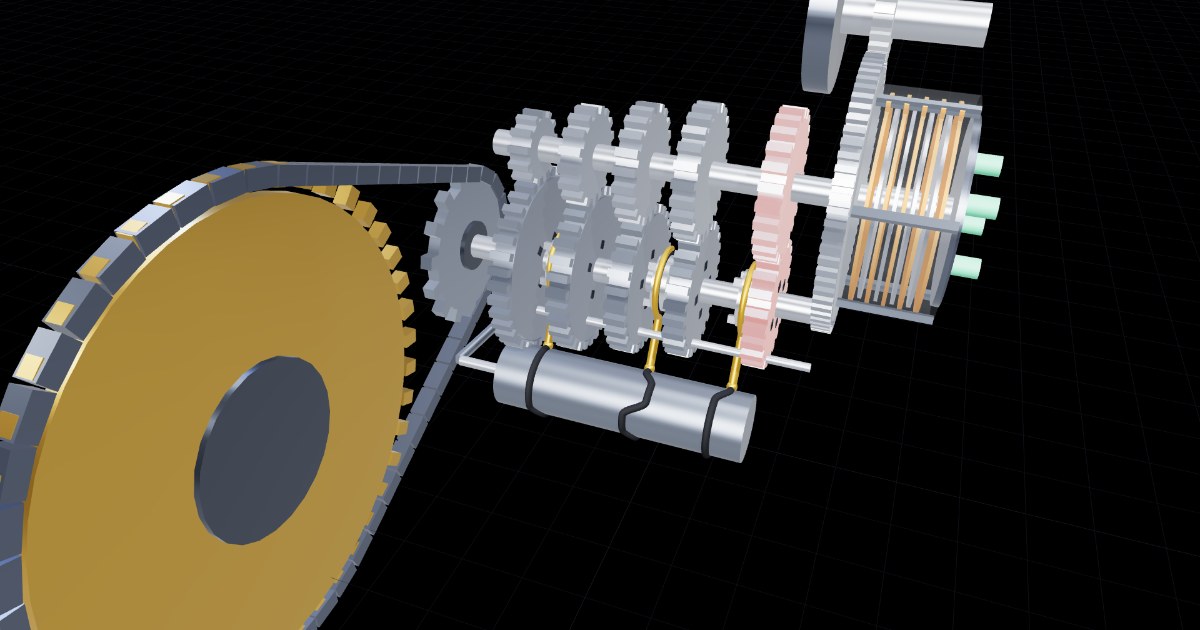
An inkjet (left) pulls one sheet from the tray with a rubber pick roller. Feed rollers step the sheet forward a strip at a time over a flat platen. Above it, a carriage holding the ink cartridges zooms left and right on a steel rail, pulled by a belt and a small motor. Under the carriage is the printhead, a chip with hundreds of nozzles thinner than a hair.
A laser printer (right) has no nozzles. A green drum is given a coating of static charge, a laser bouncing off a spinning mirror draws the page on it, and fine plastic powder called toner sticks where the laser hit. The powder is rolled onto the paper and a hot fuser melts it in. That's why pages come out warm.
A heater the size of a speck of dust boils ink for a few millionths of a second, and the bubble throws out one drop.
Under the carriage is the printhead, a silicon chip with a row of tiny nozzles. An ink-tank printer's head can have 1,792 of them. Each nozzle sits over its own little chamber of ink.
In a thermal inkjet, the chamber has a tiny heater in it. A pulse of current lasting about 3 microseconds heats a thin skin of ink to around 300 °C. It boils instantly into a vapour bubble that shoves a drop out of the nozzle at about 10 m/s. The bubble collapses, and fresh ink is sucked back in from behind. A nozzle can do this more than 10,000 times a second.
A piezo head, used by Epson, has no heater. A crystal that bends when you put a voltage across it squeezes the chamber instead, like pressing a dropper.
The drops are measured in picolitres, trillionths of a litre. A 5 pL drop is about 21 µm across, smaller than a hair is thick. On paper it spreads into a dot about twice as wide.
A printer can only put a dot or leave paper blank. Halftoning turns that yes-or-no into every shade you can see.
A printer can't print "a bit of cyan". Each spot on the page either gets a dot of ink or stays white. So how does it print a pale sky or a soft shadow?
It cheats your eye. Where the picture is light, it prints few, small or spread-out dots. Where it is dark, it prints many. From reading distance your eye blends them into a smooth shade. This trick is called halftoning. Newspapers use neat rows of dots that grow and shrink (an AM halftone). Most inkjets scatter dots in a clever random-looking way called dithering.
Colour works by taking light away. White paper reflects red, green and blue. Cyan ink soaks up red, magenta soaks up green, yellow soaks up blue. Overlap them and less light gets back, so colours get darker. This is subtractive mixing. A TV screen does the opposite: it adds red, green and blue light (see TVClear).
In theory C + M + Y makes black. Real inks give a muddy brown and waste three times the ink, and text looks fuzzy. So printers add a fourth ink, K for "key", black. That's CMYK.
A laser draws the page as a pattern of electric charge. Powder sticks to the pattern and is melted onto paper.
The heart of a laser printer is the drum, a tube with a special coating called a photoconductor. In the dark it holds static charge like a balloon rubbed on your hair. Where light shines on it, the charge leaks away.
1. Charge. A roller coats the drum with negative charge, about −700 volts. 2. Expose. A laser draws the page, one thin line at a time. A spinning mirror with six faces sweeps the beam across the drum, thousands of lines a second. Every spot the beam hits loses its charge. Now the page exists as an invisible picture of charge.
3. Develop.Toner, a plastic powder a few micrometres across, is also given a negative charge. It is pushed away from the charged drum but lands on the spots the laser drew. 4. Transfer. A roller under the paper pulls the toner off the drum onto the page. 5. Fuse. Hot rollers at about 150 to 200 °C melt the toner into the paper. 6. Clean. A blade and a lamp wipe the drum for its next turn.
The same trick, xerography, was invented in 1938 for photocopiers. A photocopier uses a lamp and a photo of your page instead of a laser.
The dot-matrix printer at the bank, the receipt printer at the shop, and the 3D printer that prints things you can hold.
Dot matrix. A print head with a column of 9 or 24 steel pins, each fired by a tiny electromagnet, slams through an inked ribbon onto the paper. Letters are built from a grid of dots, 5 across and 7 down here. Because it strikes hard, it can print through carbon copies and onto thick bank passbooks. That's why Indian banks still use passbook printers, and railway counters have long printed tickets on them.
Thermal. Shop receipts use no ink at all. The paper is coated with a colourless dye and an acid developer. A row of tiny heaters, 8 per millimetre, warms dots of the coating until they melt together and turn black. It's cheap and quiet, but receipts fade in sunlight and heat.
3D printing. A common home 3D printer (FDM) pushes a plastic thread through a hot nozzle at about 200 °C. It draws one thin layer, about 0.2 mm thick, then moves up and draws the next on top, like building a cup from coils of clay.
The printer is often cheap and the ink is not. Work out what your printing really costs.
Printer ink can cost more per millilitre than perfume. An 8.5 ml black cartridge listed at about ₹1,025 works out at around ₹1.2 lakh a litre. Why? Many companies sell cartridge printers cheaply and make their money on the ink, like selling a cheap razor with expensive blades. The cartridge also holds chips and sometimes the printhead itself.
Ink tank printers flip this: the printer costs more, but you refill it from bottles, and a black page costs around 10 paise instead of about ₹2. These printers took off in India and other Asian countries in the 2010s.
A laser printer's toner doesn't dry out, so it suits people who print lots of black text now and then. Refilled and compatible toner is common in India and much cheaper, though quality varies.
Caring for a printer. Print a page every week or so, or ink can dry in the nozzles. Fan paper before loading and don't overfill the tray, which prevents most paper jams. Pull a jammed sheet out slowly, in the direction it travels. Give empty toner and ink cartridges to the maker's recycling scheme or a refiller rather than the bin.
What moves left and right across the page in an inkjet?
The carriage with the cartridges and printhead. The carriage slides along a rail. The paper steps forward between its passes.
Why does a page come out of a laser printer warm?
The fuser melts the toner into the paper. The fuser roller is hot enough to melt the plastic toner, pressing it into the paper fibres.
What does a laser printer use instead of liquid ink?
Toner, a fine plastic powder. Toner is powdered plastic mixed with colour. Static electricity places it and heat fixes it.
In a thermal inkjet, what actually pushes the drop out?
A bubble of boiling ink. The heater boils a thin layer of ink into a vapour bubble, and the bubble shoves ink out of the nozzle.
How big is a 5 picolitre drop?
About 21 µm across, thinner than a hair. Volume = πd³/6, so 5 pL gives d ≈ 21 µm. A human hair is about 50 to 100 µm thick.
What does a piezo printhead use instead of a heater?
A crystal that bends when a voltage is applied. The piezo crystal bends and squeezes the chamber, pushing a drop out without boiling the ink.
How does a printer make a light pink with only dots of magenta?
It prints fewer or smaller magenta dots, so more white paper shows. Each dot is full strength. The shade comes from how much of the paper the dots cover.
Why do printers use a black ink instead of mixing C + M + Y?
Real C + M + Y gives a muddy brown, wastes ink and blurs text. Real inks aren't perfect filters. A separate black gives deep, sharp black with one layer of ink.
Printer inks mix by…
Taking light away from white paper (subtractive). Each ink absorbs one part of white light. A screen adds light instead.
What does the laser actually do to the drum?
Lets the charge leak away wherever it shines. The photoconductor conducts where light hits it, so those spots lose their charge. That pattern is the page.
Why does toner stick only to the spots the laser hit?
Toner and drum are both negative, so toner is pushed off the charged areas and lands on the discharged spots. Like charges repel. The discharged spots are the only places toner can settle.
What does the fuser do?
Melts the toner into the paper with heat and pressure. Until it is fused, toner is loose powder that would rub off. The fuser melts it in.
Why do banks use dot-matrix printers for passbooks?
The pins strike hard enough to print on thick books and carbon copies. An impact printer presses a ribbon onto the page, so it works on thick passbooks and multi-part forms.
How does a thermal receipt printer make black marks?
It heats a special coating on the paper, which turns dark. The paper carries a colourless dye and a developer. Heat melts them together and the dye turns dark.
What does halving the layer height of a 3D print do?
Roughly doubles the time but makes it smoother. Twice as many layers means the nozzle has to travel about twice as far.
Why is cartridge ink so expensive?
Printers are often sold cheaply and money is made on the ink. Like cheap razors with pricey blades: the maker earns over the printer's life through cartridges.
You print 300 black pages a month. Which is usually cheapest over a few years?
An ink tank printer. Its pages cost paise, not rupees, so its higher price is paid back within months.
What stops an inkjet's nozzles drying out?
Printing something every week or so. Firing the nozzles now and then keeps fresh ink in them. The printer also cleans them itself, using a little ink.
Words worth knowing
Printhead
The chip in an inkjet with hundreds of tiny nozzles that fire drops of ink.
Thermal inkjet
A printhead that boils a tiny amount of ink so the vapour bubble pushes out a drop.
Piezo inkjet
A printhead that squeezes out drops with a crystal that bends when a voltage is applied.
dpi
Dots per inch: how many dots a printer can place along one inch.
Halftone
A pattern of dots that the eye blends into shades of grey or colour.
CMYK
Cyan, magenta, yellow and key (black): the four inks most printers use, mixing by taking light away.
Photoconductor
A coating that holds static charge in the dark but lets it leak away where light hits it.
Toner
A fine powder of plastic and pigment that laser printers place with static and melt onto paper.
Fuser
A hot roller and a pressure roller that melt toner into the paper.
Fork it. Teach with it.
This box is plain HTML, CSS and JavaScript, with no build step and no accounts. Run it yourself and it sends nothing anywhere. The code is MIT. The words, images and videos are CC BY 4.0, so you can reuse them anywhere if you credit “Glassbox, glassbox.how/e/printerclear”.