A computer is billions of switches following a list of tiny instructions, one clock tick at a time. A transistor is a switch: on is 1, off is 0. Eight bits make a byte, 256 patterns. Registers answer at once, the L1 cache in about a nanosecond, RAM in about 100 ns, the SSD in tens of microseconds.
A computer is billions of switches following a list of tiny instructions, one clock tick at a time. Take a desktop apart, type your name and see its bytes, and step a real 8-bit CPU through fetch, decode and execute.
ComputerClearOpened 17 Sept 202616 min to playFree · no sign-up
In 60 seconds
The same few parts
Every computer has a processor (CPU) that follows instructions, fast working memory (RAM) that forgets when the power goes off, storage (an SSD) that keeps your files, a graphics chip for the screen, and a power supply, all joined by a circuit board's buses.
Everything is ones and zeros
A transistor is a switch: on is 1, off is 0. Eight bits make a byte, 256 patterns. A byte can mean a number, part of a letter (नमस्ते is 18 bytes in UTF-8), the brightness of red, green or blue, or one sample of a sound.
Fetch, decode, execute
A CPU loops three steps: fetch the next instruction from memory using the program counter, decode what it means, and execute it by steering data through the ALU and registers. A real core does this billions of times a second, on 8 to 24 cores.
Near and fast, far and slow
Registers answer at once, the L1 cache in about a nanosecond, RAM in about 100 ns, the SSD in tens of microseconds. If a clock tick took one second, reaching RAM would take nearly seven minutes, so caches keep recently used data close by.
Code becomes machine code
A compiler turns lines people can read into the numbered instructions a CPU runs. The operating system shares the cores between apps a few milliseconds at a time, and at power-on firmware loads a boot loader, which loads the OS.
From a room to a pocket
ENIAC filled a room and added 5,000 numbers a second on 150 kW. Transistors, then chips, doubled in number about every two years: from 2,300 in 1971 to over 200 billion today. India built TIFRAC in 1960 and PARAM in 1991, and now runs billions of UPI payments a month.
The history
From pebbles on a counting board to billions of switches on a chip: 4,500 years of teaching machines to follow instructions.
A processor, memory, storage, a graphics card and power, joined by one big circuit board.
Take the side off a desktop computer and you find the same few parts in almost every one. The CPU, or processor, follows instructions. It is a slice of silicon holding billions of tiny switches, hidden under a metal lid and a big cooler, because all that switching makes heat.
Next to it sit the RAM sticks: fast working memory for whatever you are doing right now. RAM forgets everything when the power goes off, so your files live on the SSD, which keeps them in flash memory chips. The graphics card, or GPU, has thousands of small cores that draw every frame you see on the screen (see TVClear for how the screen shows it).
Everything plugs into the motherboard, a big circuit board whose copper tracks, called buses, carry data between the parts. The power supply turns 230 volts AC from the wall into the low, steady DC voltages the chips need (see CurrentClear). The ports at the back connect the keyboard, mouse, network and screen, and fans pull cool air through the case. A laptop or a phone has the very same parts, just squeezed together (see MobileClear).
Transistors are switches. Eight of them make a byte, and bytes can mean anything.
Inside every chip are billions of transistors. Each one is a tiny switch with no moving parts. Put a small voltage on its gate and a thin channel in the silicon lets current through: the switch is on. Take the voltage away and it is off. On or off, 1 or 0: that is one bit.
One bit can only say yes or no. But eight bits together, a byte, have 256 different patterns. Read them like place values: 128, 64, 32, 16, 8, 4, 2, 1. Switch on 64, 8, 2 and 1, and the byte means 75. This is binary, counting in twos instead of tens.
The trick is that a byte means whatever we agree it means. In text, every letter has a number called a code point: "A" is 65. Unicode gives numbers to the letters of every language, and a scheme called UTF-8 stores them as one to four bytes. "नमस्ते" is six code points and 18 bytes. A colour is three bytes, for red, green and blue light (see TVClear). A sound is a wave measured thousands of times a second, each measurement one number. Numbers, words, photos, songs: to a computer they are all just bytes.
A tiny 8-bit computer you can run one clock tick at a time.
This is TOY-8, a complete computer small enough to watch. It has 32 bytes of RAM holding both the program and its numbers, two registers A and B (tiny one-byte memories inside the CPU), an ALU (arithmetic logic unit) that adds and subtracts, and a program counter that remembers where the next instruction is.
Every CPU, from this toy to the one in your phone, repeats the same loop. Fetch: send the program counter's number out on the address bus, and RAM sends back the byte stored there. Decode: the control unit reads the top four bits to see which instruction it is. Execute: open the right switches so data flows along the data bus to the right place. Each step takes one tick of the clock.
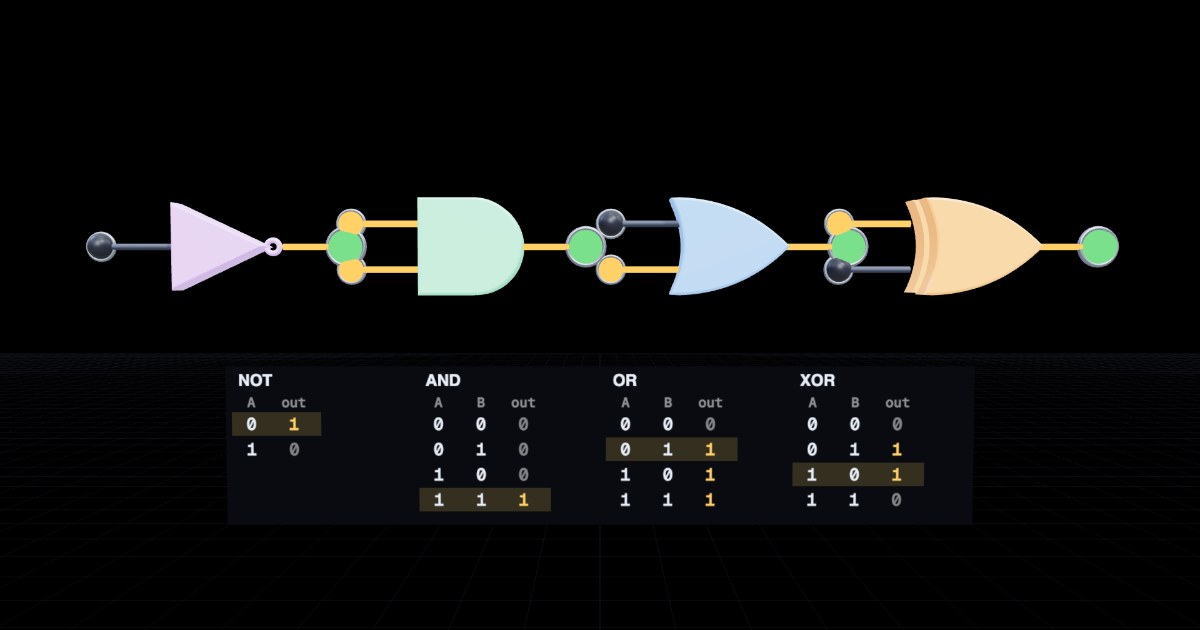
TOY-8 knows just 16 instructions, like LDA (load A from RAM), ADD, OUT, and JNZ (jump back if the answer is not zero). Jumps are how programs make loops and decisions. With only adding and jumping, TOY-8 can multiply: add 7, six times. The adding itself is done by logic gates (see CalculatorClear).
A real processor does the same thing with far more tricks. It ticks 3 to 5.7 billion times a second (3 to 5.7 GHz), works on several instructions at once, and has 8 to 24 cores, each a whole CPU of its own.
Registers, caches, RAM, SSD and the internet: why computers keep copies close by.
A CPU can only work on numbers that are in its registers. Everything else has to be fetched, and the further away it is, the longer the wait. Fast memory is expensive and small; big memory is cheap and slow. So computers use a ladder of memories called the memory hierarchy.
Right next to each core is the tiny L1 cache, reached in about a nanosecond. Then the bigger, slower L2 and L3 caches, still on the CPU chip. Then RAM, about 100 nanoseconds away. Then the SSD, where a read takes tens of microseconds. Then the internet, where a trip across the world takes a sizeable fraction of a second.
Those numbers are too small to feel, so stretch them: if one clock tick took one second, a trip to RAM would take nearly seven minutes, a read from the SSD would take days, and a message to Europe and back would take 19 years.
A cache keeps copies of recently used bytes close by. Programs tend to use the same data again soon (temporal locality) and data sitting next to it (spatial locality), so most reads are hits found in the cache. A miss means the long trip to RAM.
Compilers, the operating system, and how a computer boots up.
Nobody writes programs in ones and zeros any more. We write code in a programming language that reads almost like English, such as total = total + n. A program called a compiler translates it into machine code: the numbered instructions a CPU understands. Here, the compiler turns a few lines into the 16 instructions of TOY-8 from the CPU chapter, and TOY-8 runs them.
Good compilers also optimise: this one remembers what is already in register A, so it skips loading it again. Fewer instructions, fewer clock ticks. Grace Hopper built one of the first compilers in 1952, when most people thought computers could only do arithmetic.
Above the hardware sits the operating system (OS), such as Windows, macOS, Linux or Android. Its core, the kernel, shares the CPU between apps. A core can only run one thing at a time, so the OS schedules them: each app gets a few milliseconds, then the next one. It switches so fast that everything seems to run at once. The OS also keeps your files in folders on the SSD and lends each app its own slice of RAM.
When you press the power button, a small program called firmware wakes first, checks the hardware, and loads a boot loader from the SSD. That loads the kernel, which starts everything else: a climb from bare metal to your login screen.
Eighty years of computers shrinking, speeding up and spreading everywhere.
ENIAC, finished in 1945, filled a room, weighed about 27 tonnes and used 150 kilowatts, enough for a street of houses. It could add 5,000 numbers a second. Your phone does many billions of operations a second on a few watts, and it fits in your hand (see MobileClear).
What changed is the switch. Vacuum tubes gave way to transistors, and then to integrated circuits: many transistors made together on one slice of silicon. In 1965 Gordon Moore noticed that the number on a chip was doubling every year or two, and Moore's law held for about fifty years: from 2,300 transistors in 1971 to more than 200 billion in one package today. Shrinking made chips faster, cheaper and less hungry for power, all at once.
Today computers hide everywhere: in cars, washing machines, cameras and payment terminals. The biggest are supercomputers, rows of racks that model weather, medicines and stars. India built TIFRAC in 1960, and when it could not buy a supercomputer in the 1980s, C-DAC built its own: PARAM 8000 in 1991. Now Indian computers check Aadhaar IDs and carry billions of UPI payments a month. Tomorrow's chips are shaped by AI (see NeuralNetClear and LLMClear).
RAM is fast but forgets when the power goes off; the SSD is slower but keeps your files. Programs are copied from the SSD into RAM when they run, because RAM is much faster. Your files stay safe on the SSD.
What is the big metal block with fins on top of the CPU for?
Carrying heat away from the CPU. Billions of switches flipping make heat. Heat pipes carry it into thin fins, and a fan blows it away.
What does the power supply do?
Turns mains AC into the low DC voltages the parts need. Chips need steady 12 V, 5 V and 3.3 V DC, so the power supply converts the 230 V AC from the wall.
How many different patterns can one byte hold?
256. Eight bits, each 0 or 1: 2 × 2 × 2 × 2 × 2 × 2 × 2 × 2 = 256 patterns, the numbers 0 to 255.
What number is the byte 0000 0101?
5. The 4 and the 1 places are switched on: 4 + 1 = 5.
Why does "नमस्ते" take more bytes than "Hello"?
In UTF-8 each Devanagari code point takes 3 bytes, while English letters take 1. UTF-8 keeps the first 128 characters (plain English) to one byte and uses 2 to 4 bytes for everything else, so every script fits.
What are the three steps a CPU repeats for every instruction?
Fetch, decode, execute. Fetch the instruction from memory, decode what it means, then execute it. Then the next one.
What does the program counter hold?
The address of the next instruction. It points at the next instruction in memory, and moves on by one each time a byte is fetched. A jump simply changes it.
TOY-8 has no multiply instruction. How does the Multiply program work?
It adds 7 again and again, counting down from 6 with a jump. A loop of ADD and SUI 1, with JNZ jumping back until the counter reaches zero, adds 7 six times.
Which is fastest for the CPU to read?
The L1 cache. L1 sits right next to the core and answers in about a nanosecond. RAM is about 100 times slower.
If one clock tick took one second, about how long would a trip to RAM take?
About 7 minutes. 100 ns is 400 ticks at 4 GHz. At one second a tick, that is 400 seconds: nearly 7 minutes.
Why does walking through an array in order give lots of cache hits?
Each miss brings in a whole line of neighbouring bytes, which are read next. That is spatial locality: one miss fetches a line of 4 bytes here (64 in real CPUs), and the next reads find them already there.
What does a compiler do?
Translates source code into machine code. People write code in a language they can read; the compiler turns it into the numbered instructions a CPU can run.
One core can only run one thing at a time. How can five apps seem to run at once?
The OS gives each app a few milliseconds in turn, very fast. The scheduler switches between apps hundreds of times a second, so every app keeps moving.
In "Keep doubling", why does the loop stop after 128?
128 + 128 = 256 does not fit in one byte, so it wraps to 0. A byte holds 0 to 255. 256 overflows and wraps around to 0, which ends the while loop.
What made computers shrink from rooms to pockets?
Switches that shrank: vacuum tubes, then transistors, then chips with billions of transistors. Each step made the switch smaller, faster and less power-hungry, so more fit in less space.
Roughly what does Moore’s law say?
The number of transistors on a chip doubles about every two years. Gordon Moore spotted the doubling in 1965; it held for about half a century, from thousands to hundreds of billions.
What was PARAM 8000?
India’s first supercomputer from C-DAC, in 1991. When India could not import a supercomputer, C-DAC in Pune built its own. PARAM 8000 reached about 1 gigaflops.
Words worth knowing
CPU
The processor: the chip that fetches, decodes and executes a program's instructions.
Transistor
A tiny silicon switch, turned on or off by a voltage on its gate.
Byte
Eight bits, which can stand for any number from 0 to 255.
UTF-8
The common way to store Unicode text, using 1 to 4 bytes per character.
Program counter
The register that holds the address of the next instruction.
ALU
Arithmetic logic unit: the part of the CPU that adds, subtracts and compares.
Clock speed
How many steps a CPU takes each second; 4 GHz is 4 billion ticks a second.
Cache
A small, fast memory that keeps copies of recently used data close to the CPU.
Compiler
A program that translates source code into machine code.
Operating system
The master program that runs the hardware and shares it between apps.
Fork it. Teach with it.
This box is plain HTML, CSS and JavaScript, with no build step and no accounts. Run it yourself and it sends nothing anywhere. The code is MIT. The words, images and videos are CC BY 4.0, so you can reuse them anywhere if you credit “Glassbox, glassbox.how/e/computerclear”.